








Execution
Contents
When you execute an endpoint, PostHog runs your query and returns the results. This page explains what happens under the hood and how to control execution behavior.
Trying it out
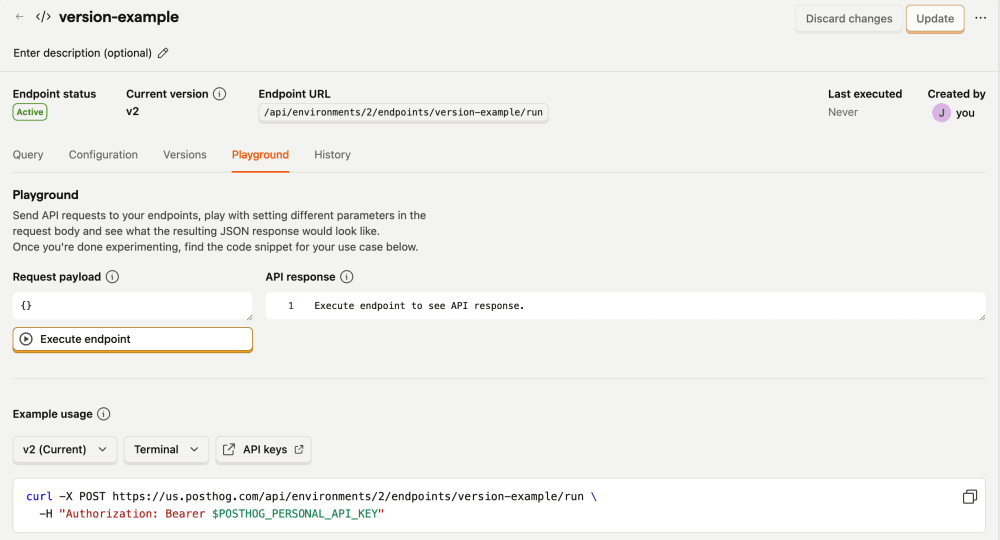
Before integrating an endpoint into your app, use the Playground tab on the endpoint's page to experiment. You can test different parameters and see the response format without writing any code.
Execution modes
PostHog uses one of two execution modes depending on your endpoint configuration:
Direct execution
Runs the query directly against the database. This is used when:
- The endpoint version you're executing is not enabled
- Or, you request a fresh calculation with
refresh: "direct"on a materialized endpoint
Materialized execution
Reads from pre-computed results stored in S3. This is faster but only available when materialization is enabled and complete.
The refresh parameter
Control query behavior when executing an endpoint:
| Value | Behavior |
|---|---|
cache | (default) If available, return cached results. Otherwise, either return the materialized results or run the query against raw data, depending on whether the endpoint is materialized. |
force | Forcefully bypass cached results, and either return materialized results or run the query against raw data, depending on whether the endpoint is materialized. |
direct | Only valid for a materialized endpoint. Bypass the materialized results and run the query against raw data. |
Response format
A successful response (HTTP 200) includes:
results- Array of rows, each row is an array of valuescolumns- Column names matching the order of values in each rowexecution_id- Unique identifier for this execution, useful for tracing results to their log entries- Additional metadata fields for materialization status, endpoint version, etc
Debugging
Pass debug: true in the request body to include additional debugging information in the response:
Main bit of extra information here to help you debug is the hogql field which includes the exact query that's been run against our database, mostly useful when you want to verify the query ran against a materialized endpoint.
Execution logs
The Logs tab on an endpoint's page shows one log entry per execution. Each entry includes metadata like the execution path (inline or materialized), cache outcome, duration, and row count.
Both successful (INFO) and failed (ERROR) runs appear in the logs, including rejected requests that fail validation (for example, an invalid refresh value). Filter by log level or search by free text to find specific entries.
Each log entry's instance ID matches the execution_id returned in the run response, so you can trace a specific API response back to its log entry.